Think in Digital Ink
Without a record of workouts completed during the week, achieving impressive fitness results can feel like a real guessing game. Many people choose to bypass the tedious work of writing things down until an assessment from a personal trainer or consultant is necessary.
It’s not difficult to understand why workout tracking (or any tracking for that matter) is so detested. Bringing a pad and pencil to the gym can become a nuisance. To make matters worse, these collections of journals have to occupy space on your bookshelf or elsewhere at home, only to be reviewed later for progress.
Rather than creating a cumbersome library that’s inconvenient for quick access, using the Apple Notes app is a much more straightforward way to record workout information.
How to Create a Workout Log with the Notes App
As with a written journal, the format of a digital log should be simple enough that you can quickly review and add appropriate exercises as needed.
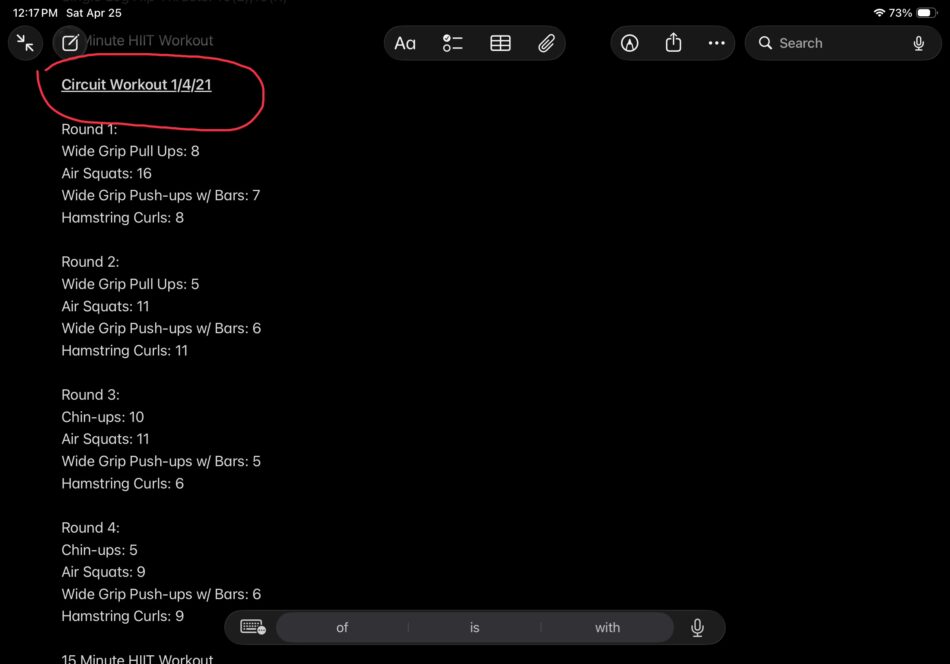
On the Notes App notes are organized and filed by the title, so a clear, bold title should be entered for fast recall:
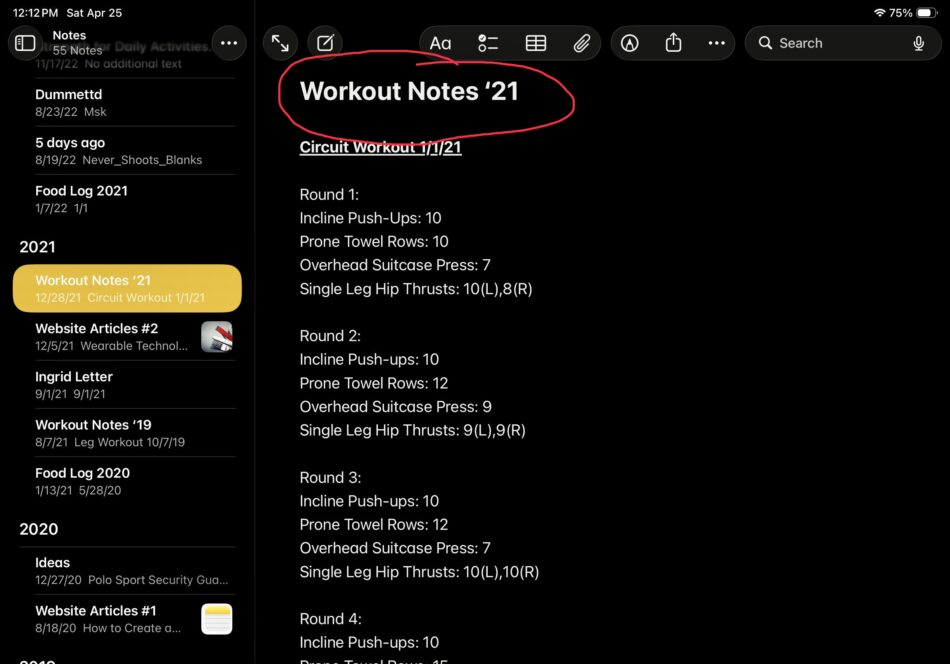
Next, the target muscle group and date should be underlined with a smaller text size as this will be reviewed often as you check your week by week progress:
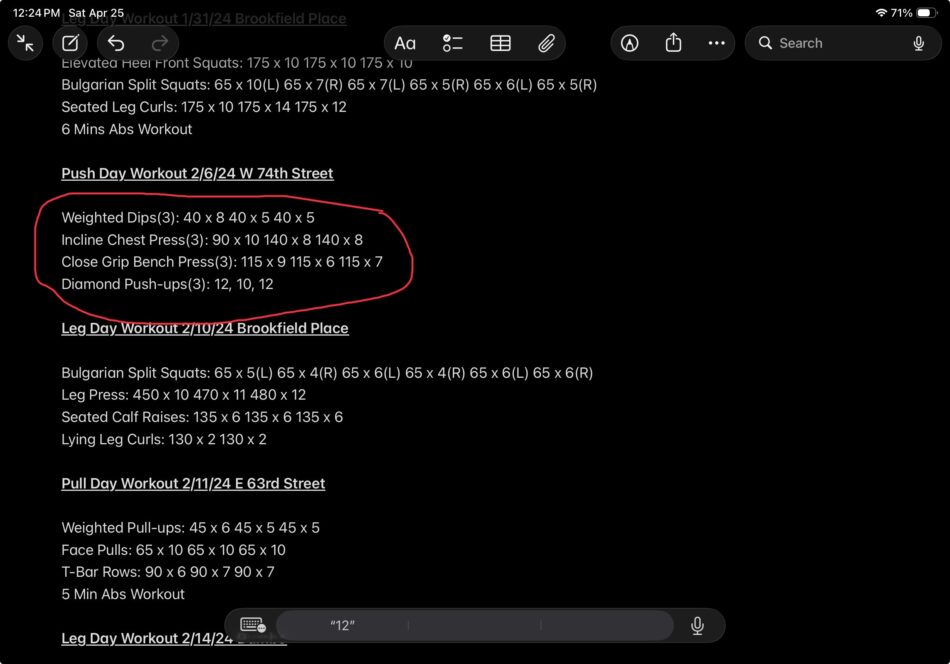
Written exercise sets and repetition formats vary greatly with each person. I prefer to list the exercise with the sets performed next to it in parenthesis. The weight lifted with the number of repetitions is recorded adjacent to the amount of weight:
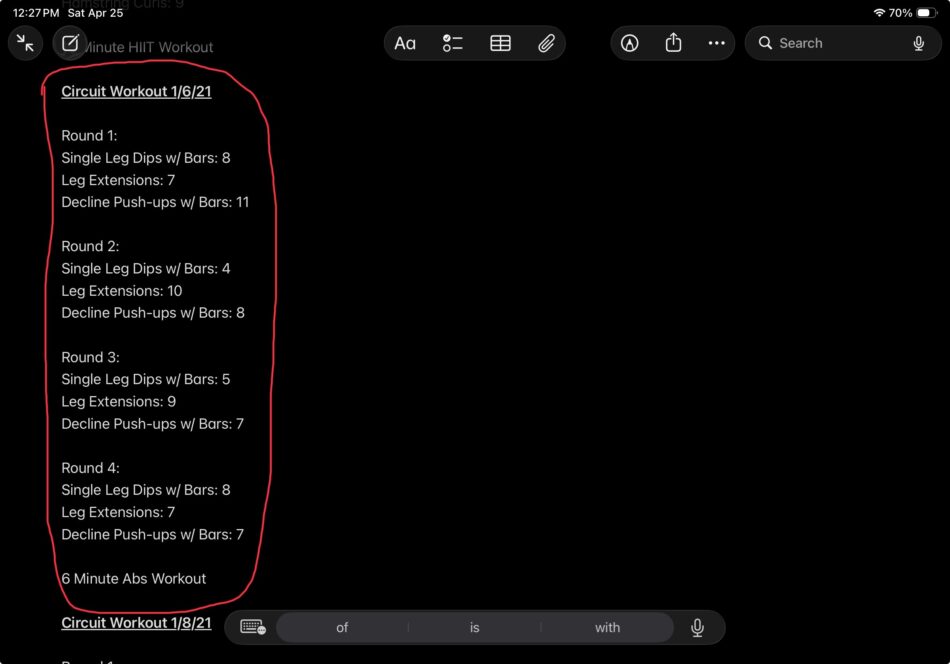
If you’re performing circuit training or any kind of HIIT (High-Intensity Interval Training), you can organize the workout entry by the rounds performed and the exercises listed below:
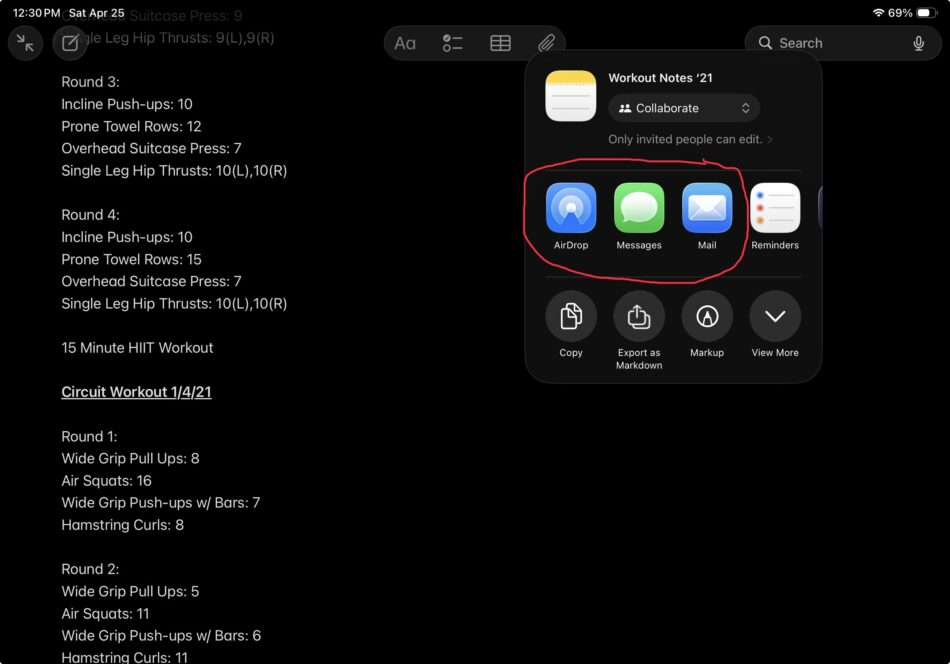
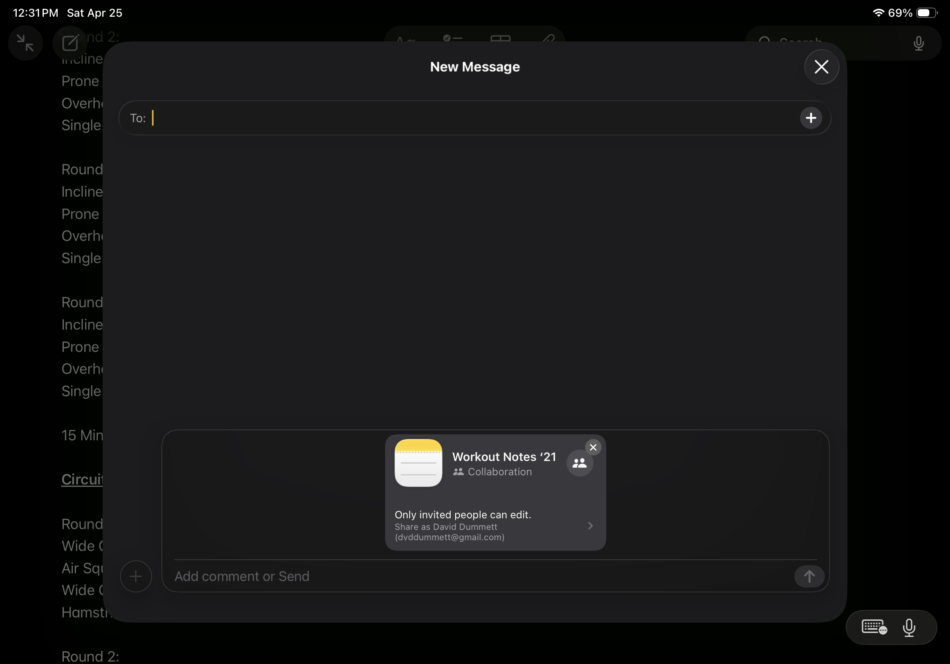
The benefit of using the Notepad App is that it can be saved to the Apple device itself or sent to iCloud where you can access your Notes on any of your other devices. The Send feature also allows you to use AirDrop, email, or messaging to send your workouts to a trainer or a friend:
The Wrap Up
The Notes app can be very convenient for storing months of workout information without creating collections of journals at home or writing tedious information by hand. In addition, sharing workouts recorded to your iPad or iPhone can make assessments from a trainer much easier, since it allows them to evaluate your progress as you continue training without the challenge of deciphering illegible handwriting. By journaling and reviewing your Notes after every workout, you can ensure you are improving progressively as your training continues.
What else do you want to know?
Why You Need To Track Your Workouts
How to Use Your Smartphone to Track Calories
How to Use the Apple Fitness Contest to Shed Fat